
30 Tips for Claude Code Agent Teams
agents go brrrrrrrrrr

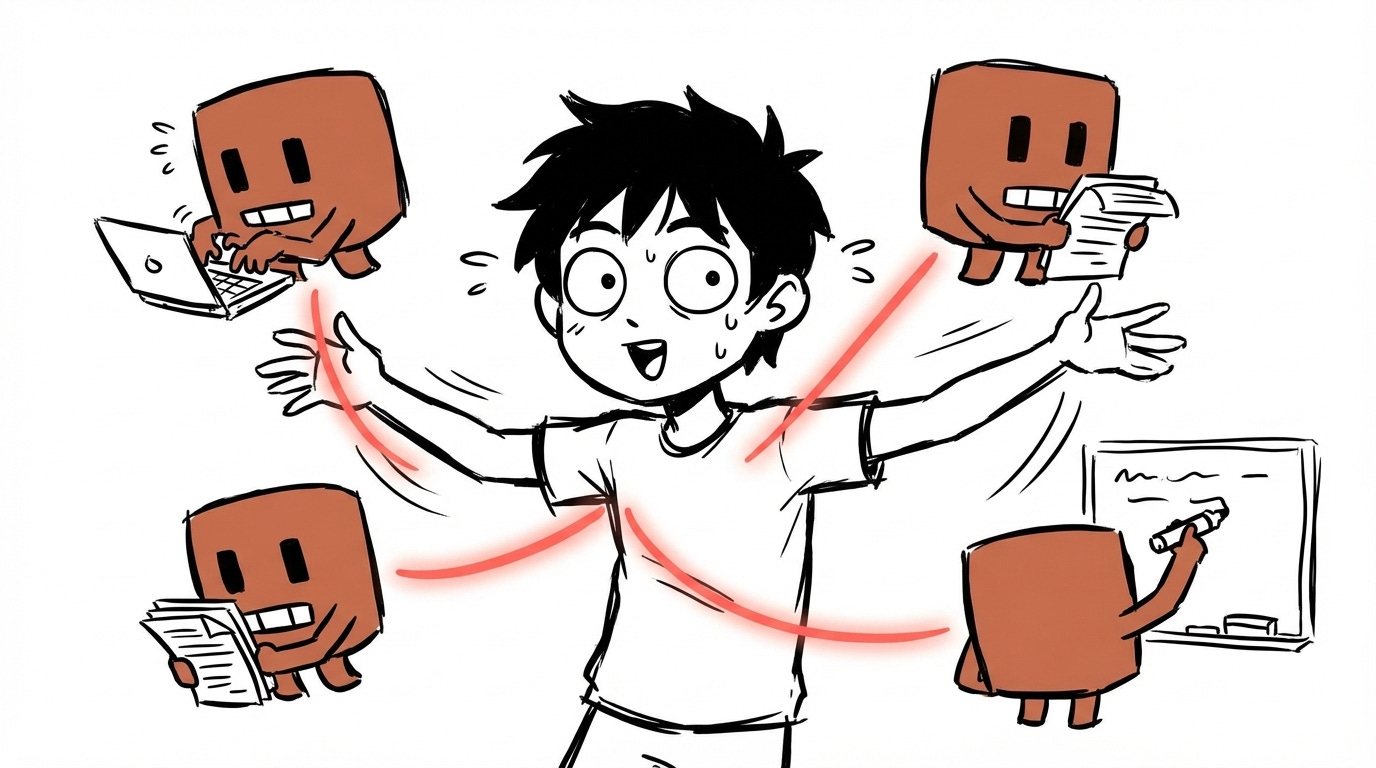
There are a lot of orchestration solutions out there. But I always prefer the ones built into the tooling itself. Agent teams is Claude Code’s native multi-agent system, and I’ve been having a lot of fun using it for work and for my personal projects.
This is everything I’ve learned so far. 30 tips covering what agent teams are, how to set them up, how to control them, and where they actually shine.
Before we get started, if you prefer to watch a video, I also made one!
What & Why
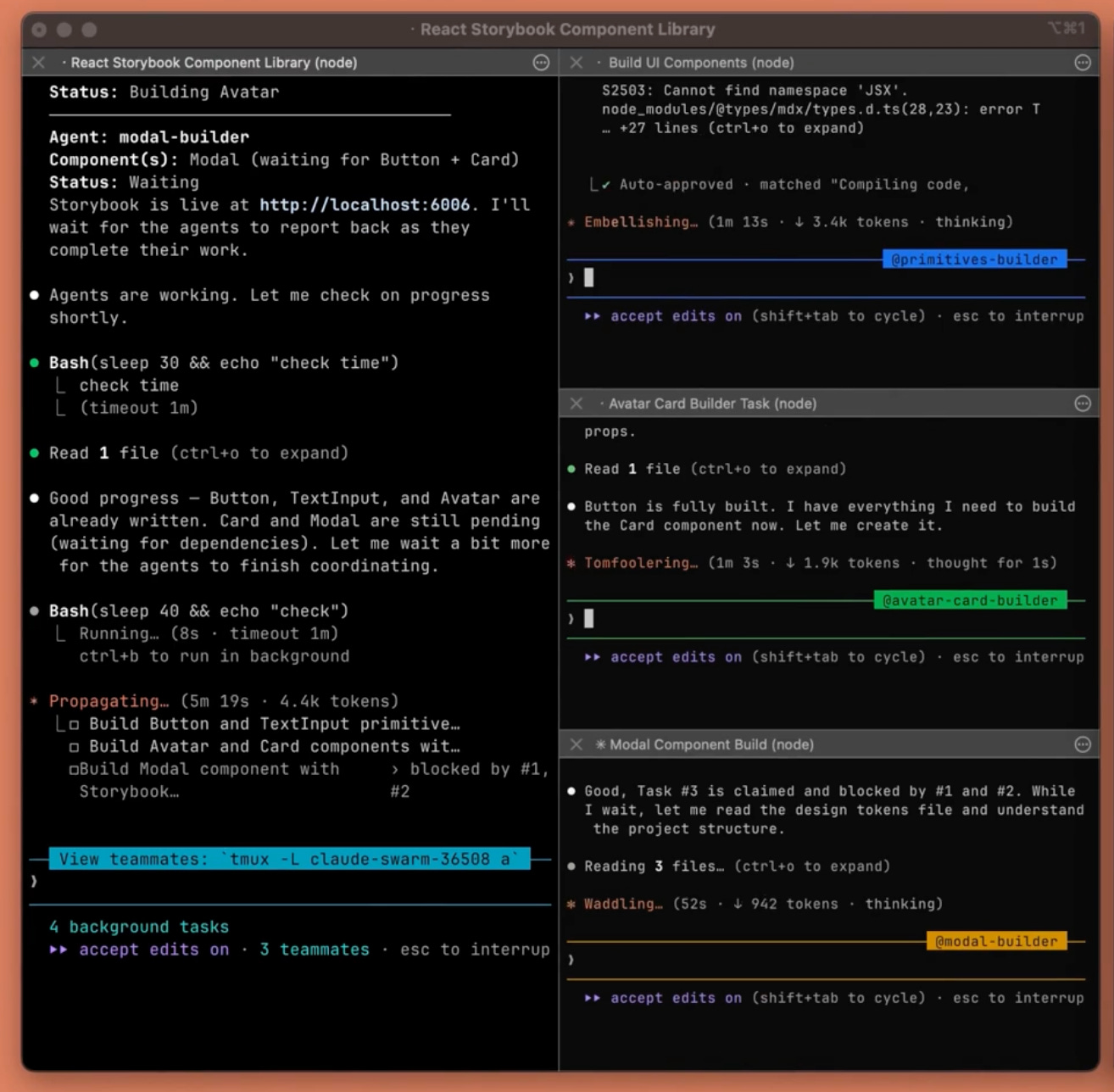
1 One lead, many teammates.
At a high level, an agent team is an orchestrator of subagents. You have one leader who is the orchestrator, and you have many different teammates. The leader holds all the tasks, spawns the teammates, and the teammates do individual work. You can have any composition of teammates you want. I have one team for coding with architecture, frontend, and backend agents. I have another for writing with a context gatherer, a writer, and an editor. The possibilities are basically unlimited.
2 Teammates talk to each other.
This is the most important difference between agent teams and regular subagents. The teammates message each other directly. They share a task list, claim work, and coordinate on their own. In my writing pipeline, the context gatherer, the editor, and the writer are all talking to each other. The context gatherer finds something relevant and sends it to the writer. The editor scores a draft and sends feedback back. That loop happens without me managing every message.
The sharing isn’t full context, though. They communicate through messages, not by reading each other’s full conversation history. So if you ever feel like a teammate doesn’t have enough context, you need to ask the main agent to send additional context, or you need to add more detail into the tasks you create.
3 You can talk to any teammate.
You’re not locked to the lead. You can navigate to any teammate and give them extra instructions, ask follow-up questions, or redirect their approach mid-task. It’s basically the same as if you had opened another Claude Code instance. You just go down, hit enter, and you’re talking directly to that agent.
4 Subagents for results. Teams for collaboration.
If you just need some quick results, use a subagent. If you need collaboration, coordination, agents sharing findings and challenging each other, use an agent team. The key difference is that a subagent’s context is completely isolated from the main agent. The subagent doesn’t know anything the main agent knows unless it was explicitly included in the initial prompt. Its only job is to do some side effect or send information back. Agent teams share a common task list, talk to each other, and the orchestrator can control any of them.
5 Teams cost more tokens.
Each teammate has its own context window. Token usage scales linearly with team size. If you’re not already running multiple Claude Code instances in parallel, the usage might outpace what you’re used to. For research and review, the extra tokens are worth it. For routine tasks, stick to single sessions.
6 Best for parallel exploration.
The best use case for agent teams has been when I need to accomplish tasks across various different domains. A really obvious example for full stack: one frontend agent, one backend agent, one architecture agent. It recognized that the frontend work could be split further and created multiple frontend agents because they were in different places. It really speeds up execution.
Another great use case is writing. My context gatherer, writer, and editor used to run sequentially. Now with agent teams, they all run at once. And they actually help each other, because sometimes the writer needs context for a specific part, and the context gatherer just goes and grabs it.
7 Skip teams for sequential work.
If your tasks have heavy dependencies, or you’re working on the same pages, you probably don’t want multiple agents because they could conflict with each other. Unless you use worktrees or something like that. Same-file edits, tasks that must happen in order, agent teams is not the right tool. The coordination overhead isn’t worth it.
Getting Started
8 Enable in settings.json.
Depending on when you’re reading this, agent teams might still be experimental. You need to add "CLAUDE_CODE_EXPERIMENTAL_AGENT_TEAMS": "1" to the env section of your settings. Then restart Claude Code. If you don’t want to figure out where to put it, just paste the docs page into Claude Code and ask it to set it up for you. Then restart.
9 Just describe the team you want.
You use natural language to define your team. Something like: “I want you to create a performance agent team. One specializing in UI performance, looking for jank. Another specializing in debugging and deep diving into errors. Claude handles the rest. It creates the teammates, assigns the roles, and starts coordinating.
10 Specify models per teammate.
This is a really good tip if you’re cost-sensitive. You can tell the orchestrator which model each teammate should run. For example: the debugger runs on Opus, the UI perf agent on Sonnet, and the UX quality agent on Haiku. The lead will shut down the agents and recreate them with the new models. Not every task needs the most expensive model.
11 In-process mode, all in one terminal.
The default display mode shows everything in a single terminal panel. You navigate between agents by hitting down arrow, then enter. You can see the different agents and guide them individually. It works, but it’s not the easiest way to see what everyone is doing at once.
12 Split panes, see everyone at once.
The other display mode splits each agent into its own tmux pane. If you have a big monitor, this is incredible. You can see all your agents working simultaneously. Each one has its own pane with its own color. I have a 32-inch monitor and it looks really nice spread out.
13 Set “tmux” in settings.json.
To get split panes, you need to set your display mode to tmux in your settings. You also need to actually be running inside tmux. They say it works on iTerm too, but personally I haven’t been able to get that working even after installing everything. Tmux is the reliable option.
Controlling Your Team
14 Shared task list coordinates work.
Every time an agent team starts working, the orchestrator creates a task list. You can see it by hitting Ctrl+T. These tasks are what drive the coordination. The orchestrator creates them, assigns them to teammates, and teammates claim and complete them. For a writing project, it might be “research the GPT-5.4 release” assigned to the context gatherer and “review the essay” assigned to the editor.
15 Assign or let them self-claim.
You can be very prescriptive about how you want things done, or you can let the orchestrator figure it out. If you have a really good idea of how the work should be split, work with the main agent to create a detailed plan first. I like to spend time planning ahead, save that task list locally, and then whenever I come back I just tell the agent team to pick up the next set of tasks.
16 Messages arrive automatically.
You don’t have to manage any of the messaging. There’s no polling. Teammates automatically receive messages and automatically report back when they’re done. The lead gets notified when a task completes. So technically you don’t need to go into the individual agents. You should mainly be looking at the lead. The split pane makes it easier to monitor, but the lead handles the coordination.
17 Require plans before implementation.
If you like to use Claude Code without plan mode and just straight execution, agent teams is probably not for you. You need a plan before implementation. The orchestrator needs to understand the full scope before spawning teammates and assigning work. Without that, agents go off in random directions and you waste tokens.
18 Guide the lead’s approval criteria.
Tell the orchestrator what quality bar you expect. Something like “make sure you have a very high quality bar for all of the code, tell all the subagents to maintain this standard.” Those instructions trickle down into the agent teams. The lead passes your criteria to each teammate. This is your main lever for controlling output quality without micromanaging each agent.
19 Graceful shutdown via the lead.
Agents have lifecycles. When they’re idle for a certain amount of time, they kill themselves. You can see them gray out in the interface when they go idle. After enough idle time, the main orchestrator turns them off automatically. You don’t have to go in and individually shut down each one.
20 Always clean up through the lead.
If you feel like a teammate is unnecessary, tell the orchestrator to clean it up. Don’t try to manually kill individual agents. The docs say you can get into a really weird state, potentially with memory leaks, if you don’t let the main orchestrator handle the shutdown. Let the lead manage the lifecycle.
21 Hooks enforce quality gates.
If you’re used to hooks, there are additional hook events for teammate_idle and task_complete. You can trigger actions when these lifecycle events happen. I haven’t found a ton of interesting uses for this yet, but someone is going to figure out something cool. Maybe on task complete, you send something to Notion, or trigger a Slack message, or update Jira. The hooks are there.
Best Practices
22 Give teammates enough context.
Each teammate loads your CLAUDE.md and your MCP servers, same as any Claude Code instance. But it does not get your main agent’s conversation history. Whatever context you built up before starting the agent swarm, the teammates won’t have it. If you want that context in your agent teams, the best way is to ask the orchestrator to embed the important details into the task descriptions. Something like “start the next set of tasks, but can you include all the important code pointers I’ve gathered so far into the tasks so my teammates have good context.”
23 Start with 3-5 teammates.
I actually found anything more than three feels like overkill. The tokens scale linearly with how many agents you’re running. Three, maybe four agents is the sweet spot. You’ll find use cases for more, but start small.
24 5-6 tasks per teammate.
Don’t give a teammate 20 things to do at once. Plan out a lot of subtasks if you want, but then kick them off to do one concise thing, bring them back, and start the next thing. This is so much like real project management. You’re literally orchestrating a team of engineers, and a lot of the best practices for managing real teams apply here.
25 Avoid file conflicts.
Don’t let agents touch the same files. I showed this earlier with the frontend-1, frontend-2, frontend-3 example. If they’re all working on the same pages, they’ll conflict with each other. Agent teams work best when you can cleanly separate domains. Frontend agent stays in the frontend directory. Backend agent stays in the backend directory. No overlap.
26 Tell the lead to wait.
Sometimes the leader will just start implementing stuff instead of delegating. You have to guide it and tell it to stop. “Delegate this to your teammates” or “wait for your teams to complete their tasks before starting.” This is just an artifact of the feature being experimental. Keep an eye on the lead and redirect when needed.
27 Parallel code review.
This is one of the best use cases I’ve found. You tell the agent team: “Do a code review on the latest changes. One agent focused on security. One focused on performance. One focused on test coverage. Combine the results into one review.” The reason this works so well with agent teams is bias isolation. If you try to do security, performance, and test coverage all in the same context, the agent gets biased by whatever it finds first. With separate agents, each one investigates independently with fresh eyes. Then the orchestrator synthesizes the findings into a holistic picture.
28 Competing hypotheses for debugging.
Say you’re investigating a bug and you come up with five theories. Instead of going through them one by one, you spawn five agents and let them each pursue a theory independently. This is really important because of context bias. As soon as an agent gets some evidence that supports one theory, it leans toward thinking it’s correct. By splitting the investigation into separate agents, you protect each theory from being contaminated by evidence for the others. When they come back and share notes, the main agent has all the findings and can form a holistic picture. I’ve found this incredibly useful at work for debugging.
29 Start with read-only tasks.
If you’re just getting started with agent teams, lean toward read-only tasks first. Investigations, research, code review, context gathering. This goes back to the file conflict issue. If agents are only reading, you don’t have to worry about collisions. My context gatherer and researcher are both read-only agents. They’re essential for my writer, but they never create conflicts because they’re not editing files.
Another good example: if you’re doing Android and you have an iOS counterpart with shared architecture, you can have a parity agent that reads the iOS code and creates tasks based on the differences. Then an executing agent implements them. It’s probably one of the most efficient ways to do feature parity work, as long as the architecture is similar.
30 Monitor and steer.
My final tip. Don’t set it and forget it. If you let these agents run too long unguided, they can go off the rails and you end up wasting a lot of tokens. Constantly monitor them. Check in on what they’re doing. Redirect when something looks wrong. The split pane view makes this a lot easier, which is why I recommend the tmux setup if your screen supports it.
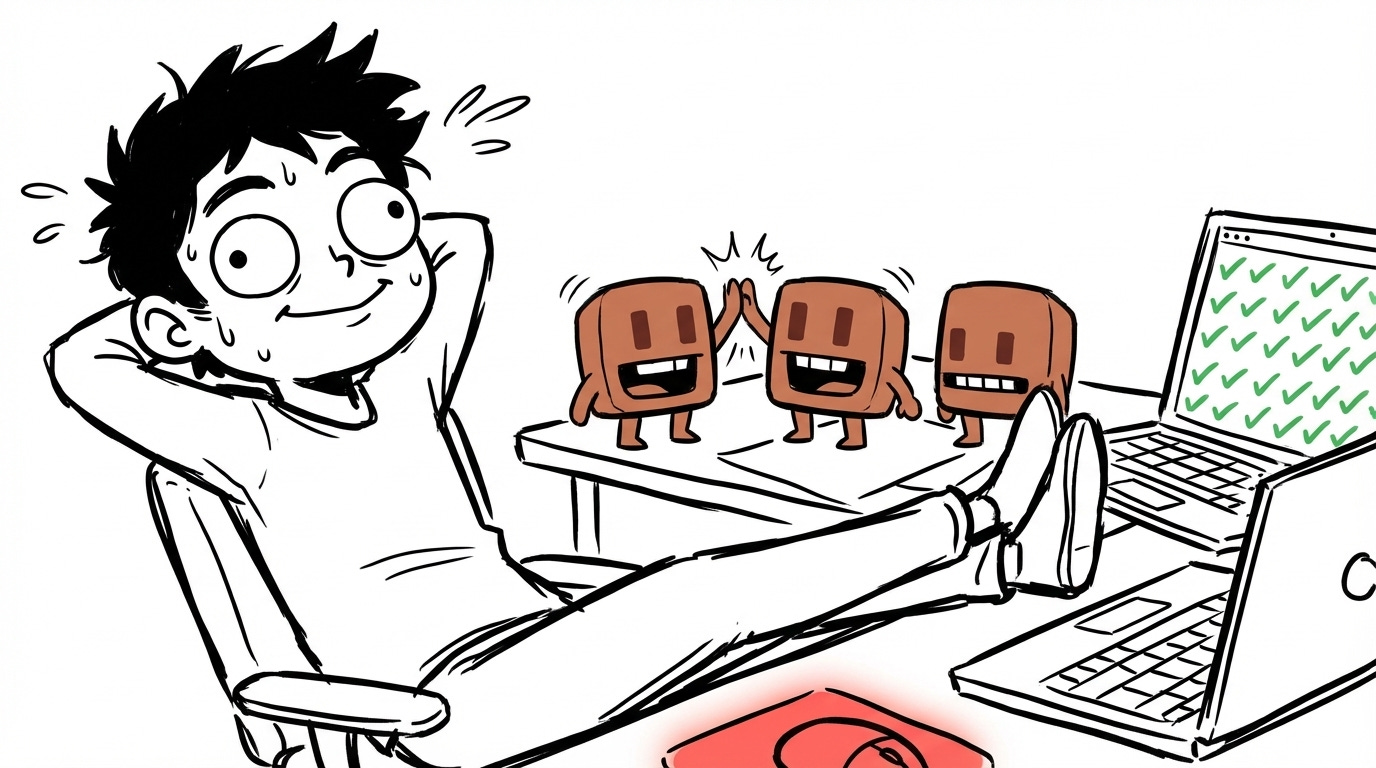
Agent teams are still experimental. There are rough edges, there are bugs, and the tmux display can be finicky. But when it clicks, when you have three agents all working in parallel on different parts of your problem and coordinating with each other, it genuinely feels like the future.
The same context engineering principles from regular Claude Code still apply. Context is king. Context is best served fresh and condensed. But now you’re managing context across a team, not just a single agent. And a lot of the best practices that work for managing real engineering teams, clear task scoping, domain separation, quality criteria, they apply here too.
If you want more on this, I made a 50 tips video for Claude Code that covers the fundamentals. And my agentic engineering video covers the higher-level principles behind all of this. Agent teams is just one piece of the puzzle, but it’s a powerful one.
The token cost scaling point is real. Ran a 3-agent team last week - orchestrator plus two specialists - and watched the cost jump fast once they started sharing context. Switched to tighter scoping per agent and it helped. The parallel code review tip (security / performance / test coverage split) is something I hadn't tried. Going to test it this week.
One thing I found: the instruction file contradicting itself is a bigger failure mode than agent errors. Agents follow instructions too literally - so inconsistencies compound.
Thanks for the great post!
Quick question: when you say you use tmux rather than iTerm2, do you mean you rely on tmux for pane/window management instead of iTerm features? I assume you’re still running tmux inside iTerm anyway?